
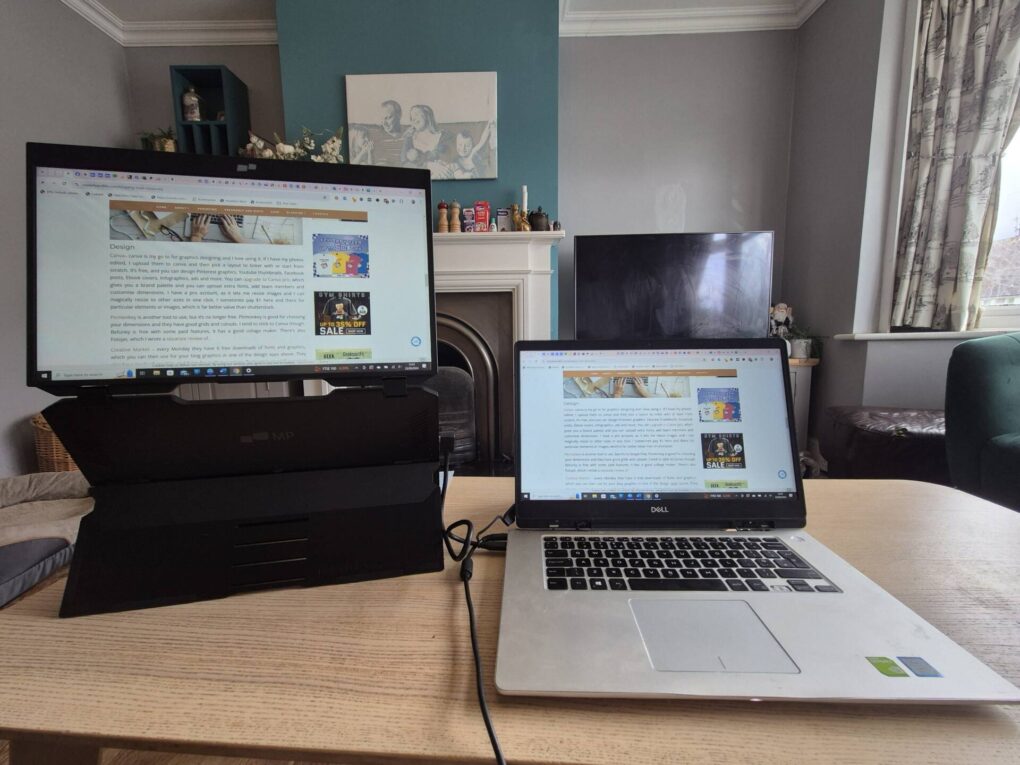
Like so many people now, I work from home as a blogger and author and it is so important to have the right equipment to minimise repetitive strain injury, neck and back issues and eye strain. Part of that is having the right setup. My husband and I both work from home, and he has a desk and office space as he works full time and has to do a lot of meetings. I tend to work in the living room because I like to have the TV on in the background or music. I work from the coffee table, which isn’t ideal as it leaves me in a far from optimal position. I have discovered that with the Duex float monitor, I can achieve a much better position. In this post, I will explain all the different uses you can get from the Duex and how I use it.
The Duex Float portable laptop monitor from mobile pixels is a game-changer for anyone who values productivity and flexibility while working on the go. This innovative device offers a seamless dual-screen experience, allowing you to expand your workspace effortlessly. Imagine you need to share your screen on a train, or you need to go through something you have on your phone but on a bigger screen. This smart bit of kit will help you do just that.
One of the standout features of the Duex Float is its versatility. You can use it for various purposes, whether you’re a student needing extra screen space for studying, a professional working on presentations, or a creative looking to enhance your design workflow. It easily attaches to the back of your laptop and can be adjusted to various angles, making it perfect for sharing content during meetings or collaborating with colleagues.
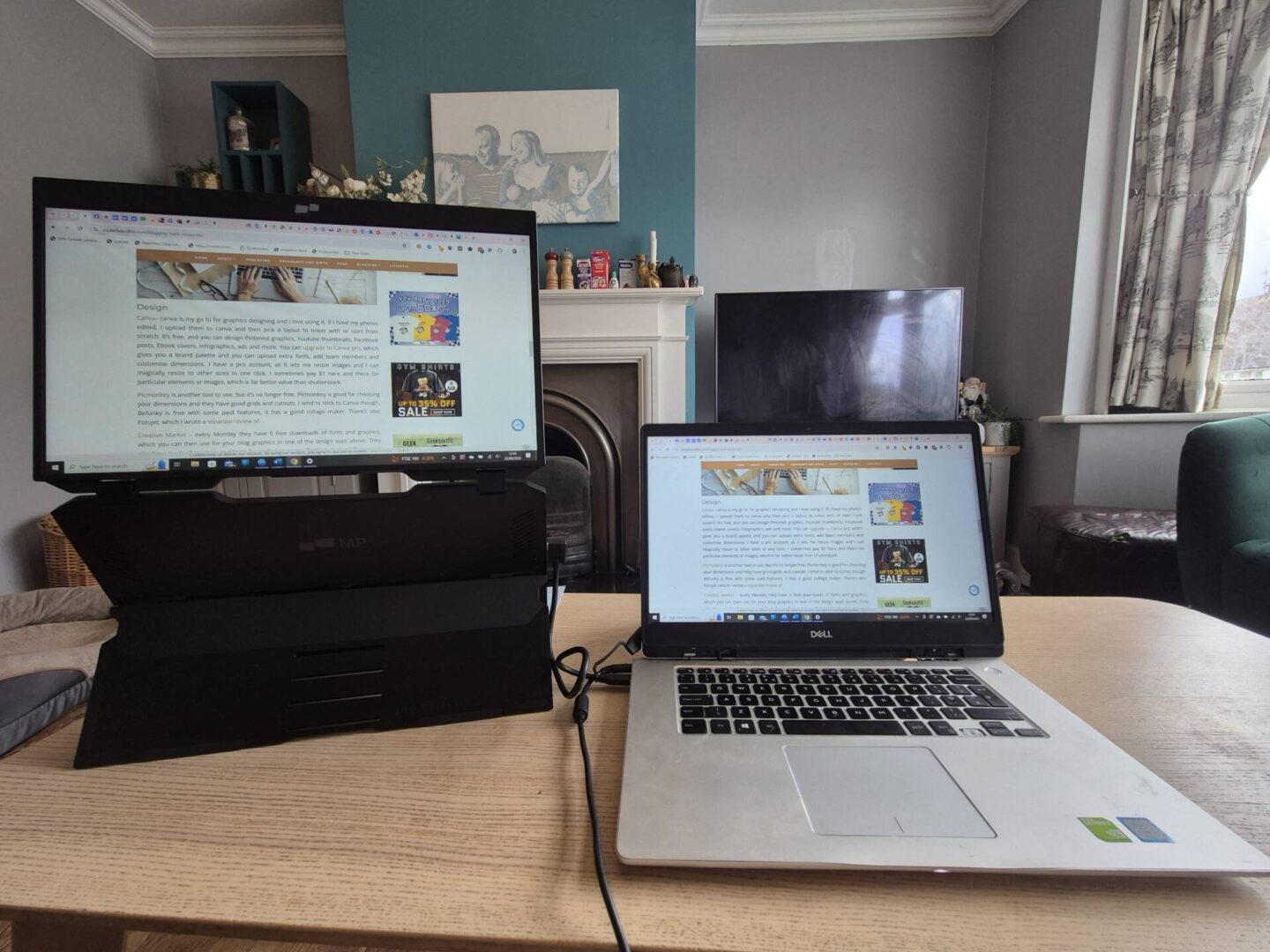
What truly sets the Duex Float apart is that it requires no extra charging. It draws power directly from your laptop, which means you can start using it straight away without the hassle of carrying additional chargers or worrying about battery life. This convenience is invaluable for those who travel frequently or work remotely. How I use it is in ‘stand by itself mode,’ where I have it as my monitor so I can work at a more eye level height, saving my neck and back from strain. I love the extra height you get from it.
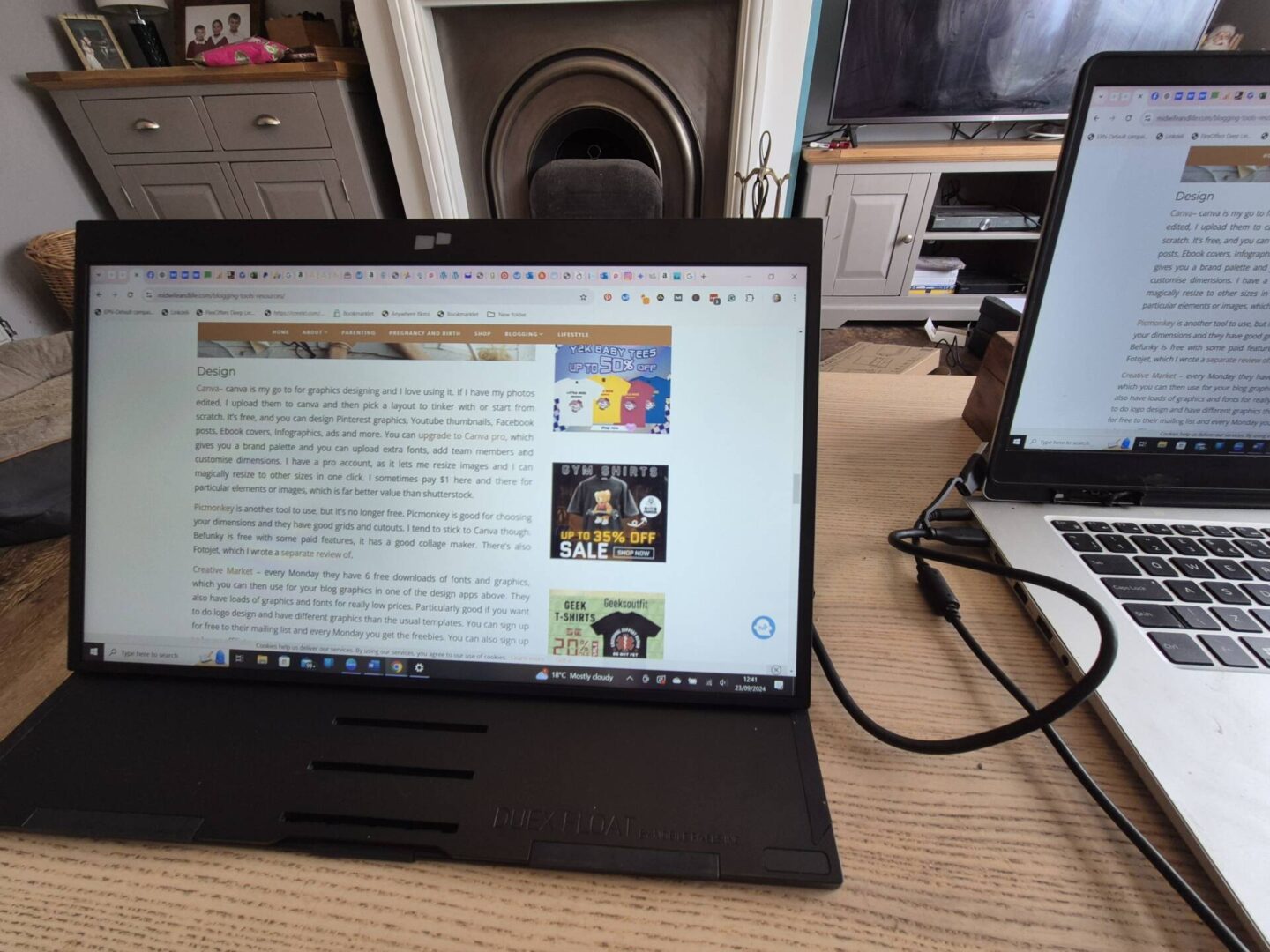
You can also use it in ‘Desktop mode,’ where you can set it at the perfect angle for your needs. You can attach it to your phone or even your Nintendo Switch in this setting.

Another way to use it is to add an extra screen on top of your screen, and then flip it over 180 degrees to show the room in presentation mode.
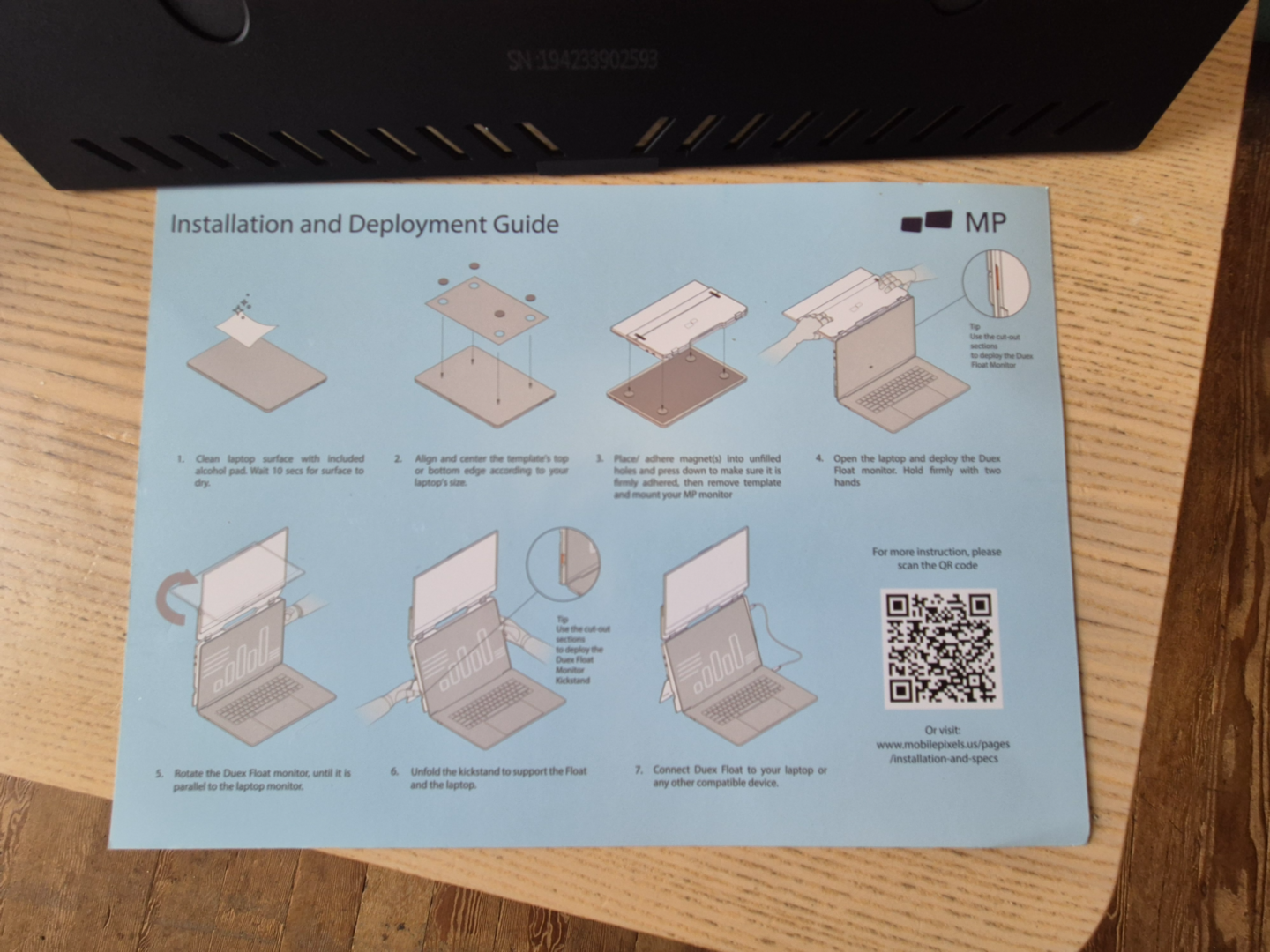
Overall, the Duex Float portable laptop monitor combines high functionality with ease of use, making it an essential tool for anyone looking to boost their productivity. Its straightforward setup and lack of extra charging need make it a reliable companion for all your work-related tasks.
Items were gifted
Thank you for reading - if you enjoyed this content, please consider buying me a coffee here or browse my Amazon wishlist I really appreciate your support and it helps to keep the site running and for my time 🙂